• Home
  • Download
    • Google Play Store
  • Home
  • Download
    • Google Play Store

Article

Create your own mineral collection

3 simple steps to create your catalog.

Cataloging of rocks and minerals

With GeoCrystal you can easily catalog the minerals and rocks found during an exploration.

Anna's Recipe Book

Cooking is my passion. Follow me❤
By Anna Plomitallo

Buy banner

Purchase this ad space.
-Starlyware

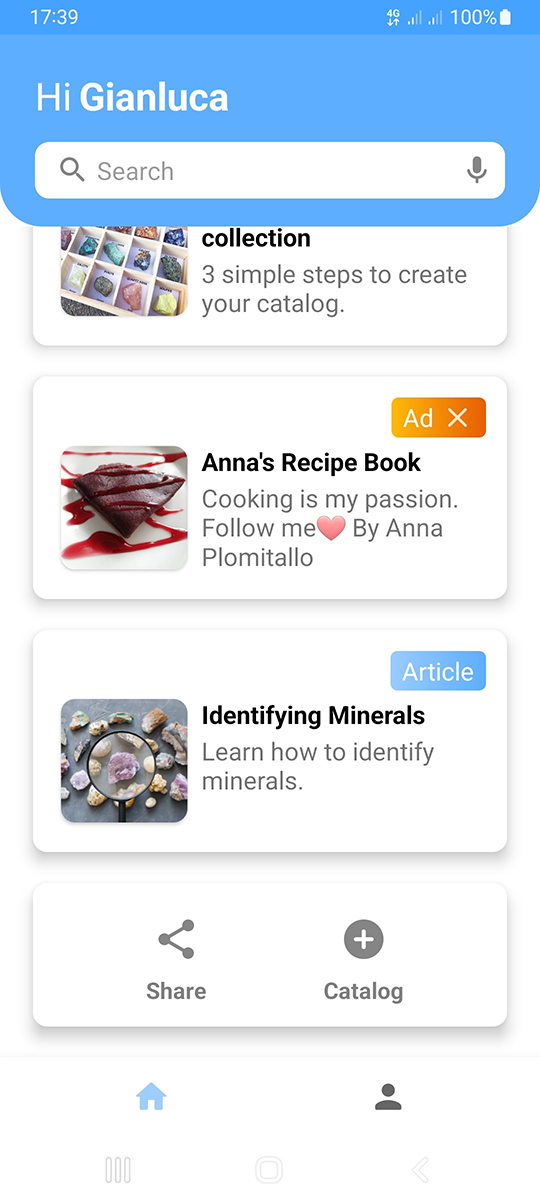
Step 1

Open the app, scroll down and press "+ Catalog".
Step 2

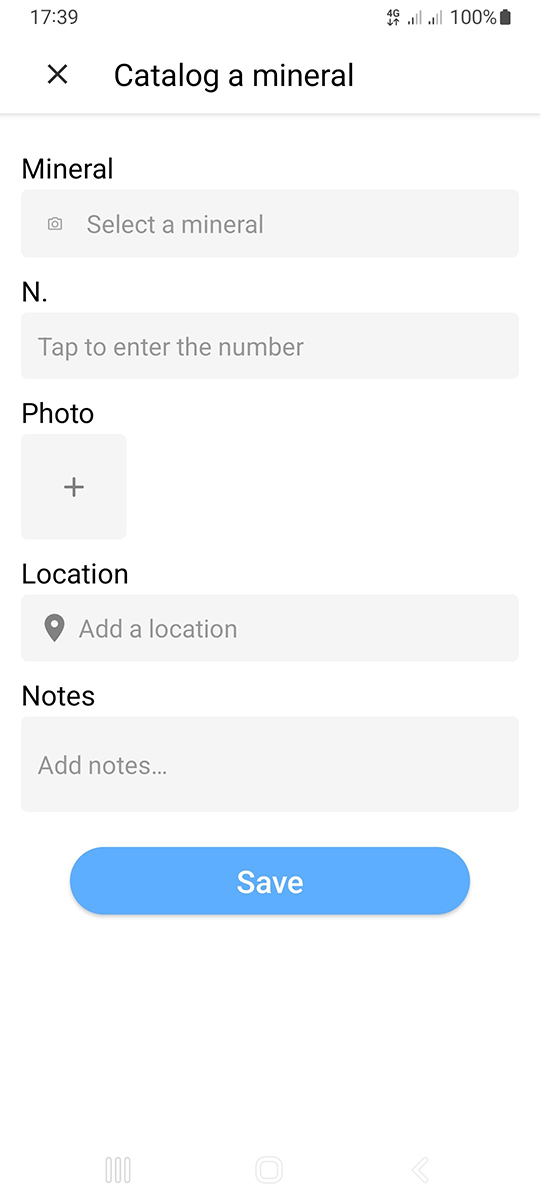
Click on "Select a mineral" and choose the mineral you want to catalog. You can also enter additional information about the mineral.

Step 3

Tap the box with "+" and select an image from the gallery. Then press "Save" and you're done.

United States

This website uses technical cookies and, with your consent, Google Analytics. Read the Cookie Policy.